
Bank reconciliation template
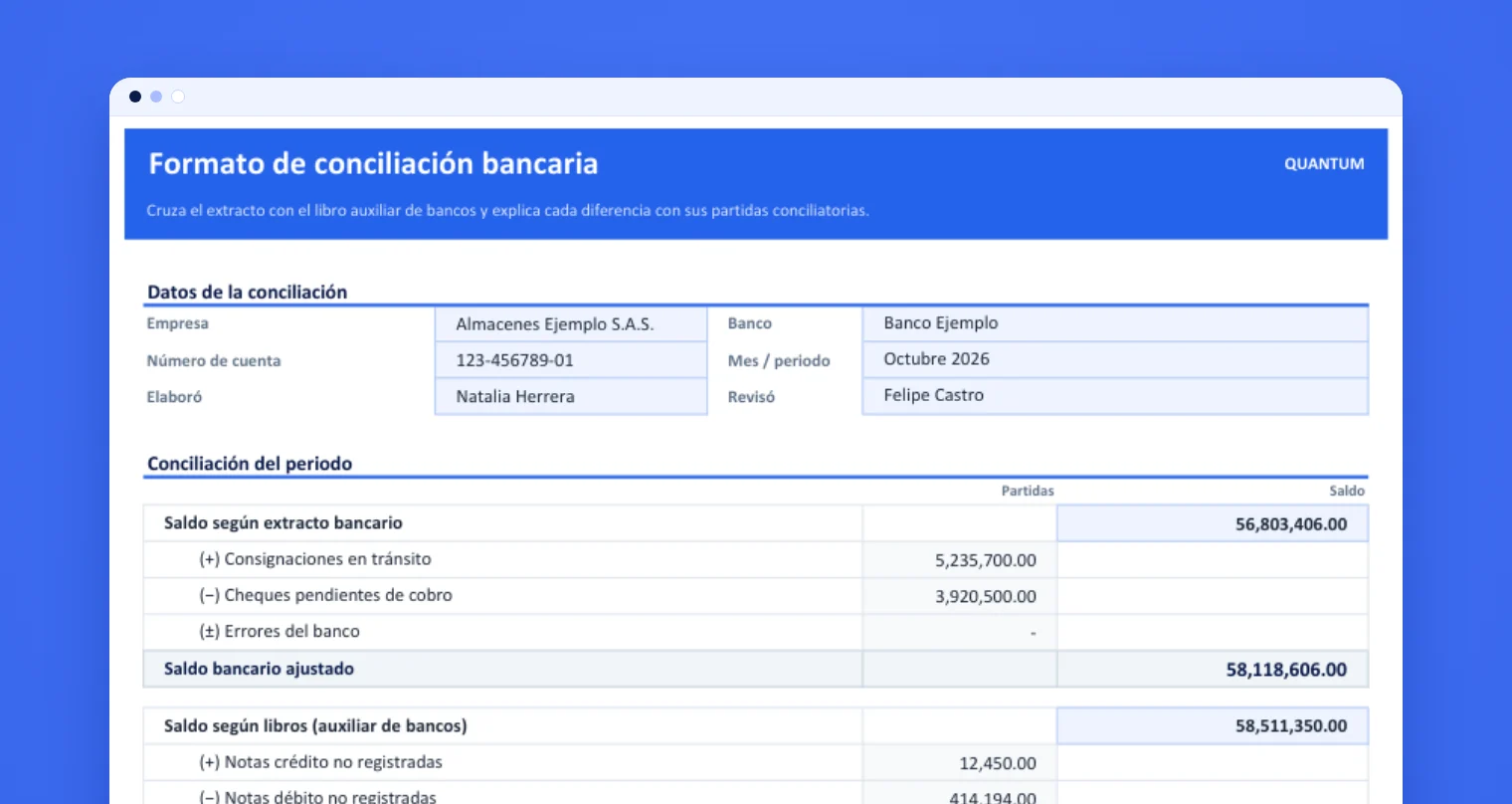
Match the bank statement with your ledger, classify every reconciling item and tie the bank balance to your books. Download it for Excel or Google Sheets, or run the reconciliation online.
- Excel and Google Sheets
- Matching by reference and amount
- Classified reconciling items
Run the reconciliation online
What the template includes
Statement and ledger
Paste the transactions from each source and the template flags which ones match by reference and amount and which stay open.
Reconciling items
Classify what is open: outstanding checks, deposits in transit, unrecorded bank fees and interest, and errors.
Reconciliation statement
Calculates the adjusted bank balance and the adjusted book balance, and tells you whether the difference is zero.
How to use it
Paste the statement and the ledger
Copy the same month's transactions into their sheets, with date, reference, description and amount.
Classify what is open
Give every unmatched transaction its type of reconciling item from the drop-down list.
Check the difference
Enter the ending balances of the statement and the books. If the difference is zero, the reconciliation is done.
Frequently asked questions
What is a bank reconciliation?
It compares the transactions on the bank statement with the ones in your accounting records, explains every difference and confirms the account balance is right.
What are reconciling items?
They are the items that explain why the bank balance and the book balance differ: outstanding checks, deposits in transit, unrecorded fees or interest, and errors.
How often should you reconcile?
At least once a month, at close. Companies with many transactions or several payment methods reconcile weekly or daily to catch differences in time.
What if the difference is not zero?
Check that both balances share the same cut-off date, look for transposed digits and duplicated entries, and confirm how each item is classified.
Does it work in Google Sheets?
Yes. It only uses formulas supported by both Excel and Google Sheets. The Google Sheets button creates a copy in your account.
Reconciling several accounts, card terminals and gateways every day?
Quantum receives the files from every source, reconciles daily with your operation's rules and delivers the differences with their cause and supporting files.